Many people notice the same pattern. A phone updates automatically overnight, and the next day it feels different. Apps take longer to open, scrolling is less smooth, and simple actions seem to lag. This can be frustrating, especially when the update was supposed to improve performance, not make things worse.
In most cases, a phone becoming slower after automatic updates is not a sign of damage or permanent decline. It is usually the result of background processes, system changes, and resource adjustments that happen quietly after new software is installed.
Why automatic updates can slow a phone down
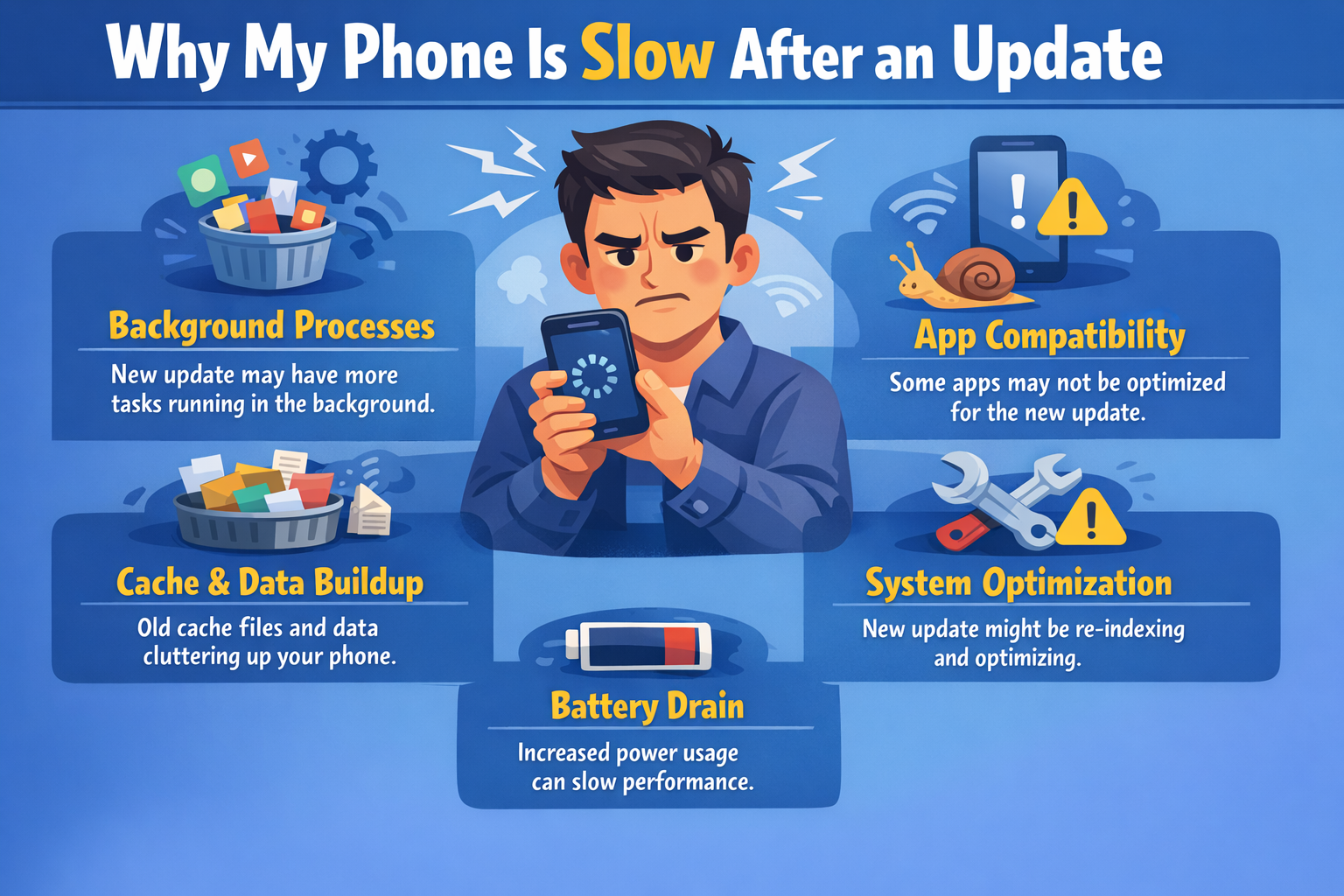
Automatic updates do more than change how a phone looks. After an update installs, the system often needs time to reorganize itself. Apps are re-optimized, files are reindexed, and internal services adjust to new rules. All of this requires processing power.
During this period, the phone may feel slower because the system is doing extra work in the background. This slowdown is often temporary, but it can be noticeable, especially on older devices.
Background processes continue after the update finishes
When an update says it is complete, that usually means installation is finished, not optimization. Afterward, the phone may continue running tasks such as syncing data, rebuilding app caches, and checking compatibility.
These background processes compete with normal phone usage for system resources. As a result, opening apps or switching between screens may feel slower until the system settles.
New features can demand more resources
Updates often introduce new features, security layers, or visual effects. While these improvements are helpful, they can also require more memory and processing power. Phones with limited storage or older hardware may struggle to keep up.
This does not mean the phone is failing. It simply means the software has become more demanding than before, and the device needs to work harder to deliver the same experience.
Storage space plays a bigger role than expected
Automatic updates can temporarily increase storage usage. System files, update packages, and app data may take up extra space during and after an update. When storage is nearly full, the phone has less room to manage tasks efficiently.
Low available storage can slow down performance, affect app responsiveness, and make the system feel heavy. This is one of the most common reasons phones feel sluggish after updates.
App compatibility issues can cause lag
Not all apps are immediately optimized for the latest system version. Some apps may run inefficiently until developers release updates that fix compatibility issues. These apps can slow down the phone, drain battery, or cause brief freezes.
Updating apps after a system update is often one of the simplest ways to restore smoother performance.
Battery management changes after updates
Automatic updates sometimes adjust how the phone manages power. New battery-saving features or background limits may change how apps behave. During this adjustment period, the phone may feel slower as it balances performance and efficiency.
In some cases, the system intentionally reduces performance slightly to improve stability or battery life. This can feel like a downgrade, even though it is designed to protect the device over time.
The cost of ignoring long-term slowdown
If a phone stays slow for weeks without improvement, users may feel pressured to upgrade sooner than planned. From a financial perspective, this can be an unnecessary expense. Many slowdowns can be improved with simple maintenance rather than replacing the device.
Understanding what causes post-update slowdowns helps users make smarter decisions and avoid spending money too quickly on upgrades or repairs.
Simple steps that often improve performance
Restarting the phone after an update can help clear temporary processes. Giving the system time to finish background tasks, especially while connected to Wi-Fi and charging, can also help performance stabilize.
Freeing up storage by removing unused apps, old videos, or cached files often makes a noticeable difference. Keeping apps updated ensures better compatibility with the new system.
When slower performance is normal
It is normal for a phone to feel slightly slower for a few days after an automatic update. Most devices stabilize once optimization finishes and background activity decreases. During this time, minor lag does not usually indicate a serious problem.
When slowdown should not be ignored
If performance remains poor weeks after an update, or if basic functions become difficult to use, it may be worth reviewing settings or support options. Persistent lag can signal deeper compatibility or hardware limitations that need attention.
Conclusion
A phone becoming slower after automatic updates is usually the result of temporary system changes, background activity, and increased software demands. In many cases, performance improves with time and simple adjustments. By understanding what is happening behind the scenes, users can avoid unnecessary upgrades and make more informed, cost-effective decisions about their devices.